• Productivity •10 min read


• Productivity •10 min read
The best productivity apps for iPhone fall into a few key categories: distraction blockers, task managers, note-taking tools, and habit trackers. Together, they create a system that protects focus, clarifies priorities, and reduces mental clutter. Among them, AppBlock stands out as the foundation, helping eliminate digital distractions so other productivity tools can work more effectively.
If you’re someone who genuinely wants to be productive, whether you’re building your career, running projects, or trying to stay on top of your studies, you’ve probably felt how easily a day can slip away on your phone. You pick it up with a clear purpose, and somehow end up juggling notifications, messages, and half-finished tasks before you even realize it.
It’s not a discipline problem. It’s an environment problem.
Your iPhone is one of the most powerful tools you own. It holds your ideas, your responsibilities, and the systems you rely on to move forward. But without a deliberate setup, it can just as easily scatter your attention as support it. Tasks end up spread across apps, priorities get buried, and instead of working with intention, you’re constantly reacting.
The shift happens when your phone starts working the way you do. When it protects your focus, keeps your commitments clear, and gives your thoughts a trusted place to land, it stops feeling like a source of pressure and starts acting like a partner in your productivity.
This guide isn’t about cramming more into your schedule. It’s about helping you design a simple, reliable system, one that supports deep work, organized thinking, and steady progress. In the sections below, we’ll break down practical app categories and setups that make it easier to stay focused and actually move the needle.
A strong home base prevents the classic productivity trap: tasks in one place, notes in another, plans in a third and nothing feels truly under control. These apps reduce app-hopping and keep work centralized.
Up to 60% of the workday can be lost to coordination and information searching, which is why a single productivity hub can dramatically improve efficiency.
Focus is a finite resource. The most effective iPhone productivity apps create real friction against procrastination, so attention isn’t constantly negotiated throughout the day.
Even a quick distraction can cost nearly half an hour of lost focus, which explains why blocking interruptions has such a big impact on productivity.
Brains are great for ideas, but terrible for storage. A capture system prevents mental clutter and reduces the anxiety of don’t forget this.
Because working memory holds only around 4 pieces of information at a time, capturing ideas externally reduces cognitive overload and improves clarity.
Motivation is unreliable. Systems win. Habit tracking keeps routines alive on low-energy days—and makes progress visible.
Nearly half of daily behavior runs on autopilot, which is why small tracked habits can compound into major productivity gains over time.
Add friction instead of relying on willpower:
Block or limit apps during work hours
Use focus sessions (25–50 minutes)
Keep your phone out of reach during deep work
Automation tools like AppBlock help by removing the need to constantly self-regulate.
There isn’t a single universal answer, but many users consider AppBlock one of the most impactful because it tackles the biggest barrier to productivity, constant digital distraction, while other apps handle planning and organization.
Yes. “App fatigue” happens when you spend more time managing your productivity tools than actually working. To combat this, follow the “Rule of Three”: use one tool for notes (Second Brain), one for tasks, and one for focus. AppBlock fits into the “Focus” category by running silently in the background—it’s a “set and forget” tool that reduces the mental load of having to constantly police your own behavior.
For neurodivergent professionals, traditional timers often aren’t enough because they are too easy to ignore. Research suggests that “hard friction” is more effective. By using AppBlock’s Strict Mode, you remove the possibility of “just one quick check” of a notification, which often leads to an hour-long rabbit hole. It acts as an external executive function, helping you stay on track when internal regulation is difficult.
Gain back control over your screen, empower your life with AppBlock.
Try for free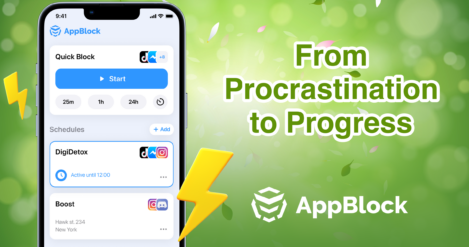
April is a month of renewal, growth, and reinvigoration, but it can also be a time when productivity wanes due to various distractions and c...
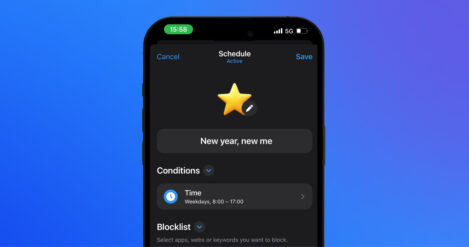
Ah, New Year’s resolutions. Every January, millions of us set out with the best intentions: to work out more, spend less time on our phones,…

Quick answer How do I block websites on Android? Android doesn’t offer a built-in way to block specific websites across the system.





