Android | iOS

Productivity timer

You don’t need more time. You just need to use it better.

Phone
Featured in
Featured in
TC
USA
MUO
Forbes

Your day isn’t short, you’re just distracted.

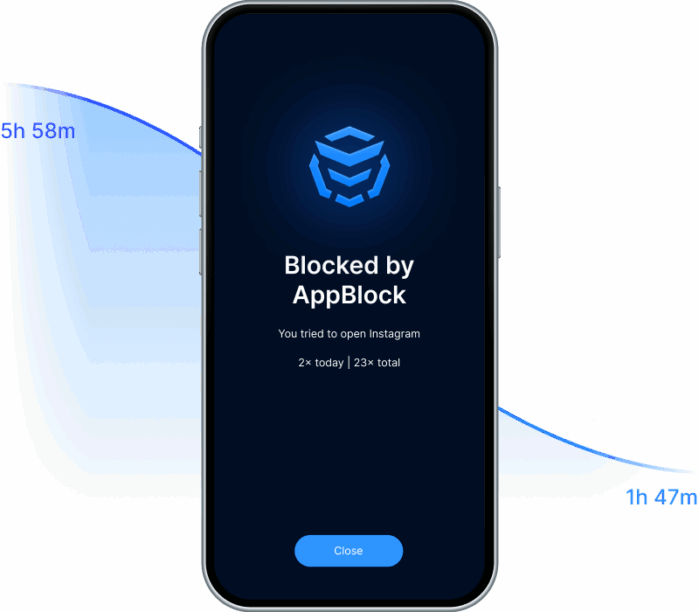
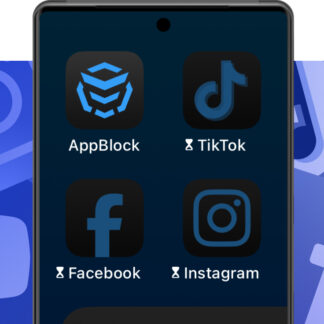
When each work interval is protected from apps and notifications, you finally get the space to think, focus, and actually finish things. AppBlock blocks websites and apps that pull you away from your goals. 

What you gain by blocking distractions?

Better performance
Better performance

When your attention stops leaking, your work finally moves forward without friction.

Deeper focus
Deeper focus

The fewer distractions fight for your mind, the easier it is to stay in the flow that actually gets things done.

Healthier work–life balance

Getting things done on time means your evenings belong to you, not to unfinished tasks.

Stay focused and efficient with a smarter productivity timer

Stop acting like your time is unlimited

Work in powerful, distraction-free intervals while AppBlock automatically blocks the apps that interrupt your flow.
Let the app measure your work and break intervals – just set your productive timer and get to work.

Focus on what truly matters

Focus on what truly matters

Plan work blocks, study sessions, or offline time. AppBlock keeps you in the zone whenever you need peak efficiency.

More than just a timer

More than just a timer

AppBlock isn’t only a productivity timer - it also blocks distracting apps during your work interval, making every minute count.

Don’t forget to rest

Don’t forget to rest

Breaks are an essential part of every Pomodoro cycle. AppBlock tracks them, unlocks apps during downtime, and keeps your rhythm balanced.

Break your work into manageable intervals with automatic blocking

Pomodoro technique for maximum productivity

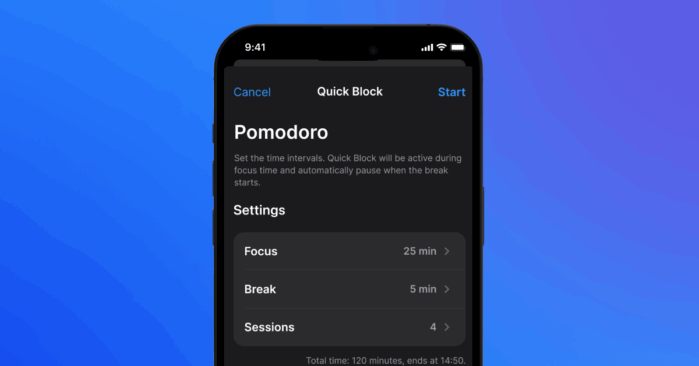
With AppBlock’s Pomodoro feature, you divide your work into productive intervals with scheduled breaks.
Set your work length, break duration, and number of cycles. After you start, AppBlock blocks distractions during work and releases them only during breaks.
A systematic boost to your productivity.

Customize your intervals

Don’t like the classic 25/5 Pomodoro cycle? Create your own.
AppBlock alerts you when it’s time to rest — and when it’s time to get back to work.

Breaks that restore your focus

During breaks, AppBlock unlocks your apps so you can check messages, stretch, or relax.
When break time ends, blocking resumes automatically for the next work interval.

Allowlist for essential tools

Choose apps you still need access to - even during blocking.
Need email or a calendar for your task? Add them to the Allowlist.

Unlock your secret productivity powers.

Start with AppBlock’s free version and see how easy it is to stay focused with the right productivity timer.
Want more? Unlock all advanced features with Premium – free for 7 days, no commitment.

Available for both Apple and Android.


Mobile Mobile

FAQ

Do you have AppBlock for PC/macOS?

Currently, we don’t have a dedicated desktop app, but we do offer Chrome, Edge, and Safari extensions to help you stay focused and manage distractions while browsing the web. These extensions allow you to block distracting websites and create a more productive online environment.

Are AppBlock extensions free?

Yes, we have made all AppBlock extensions free to use with all features unlocked! 🙂

How to create a Time Schedule

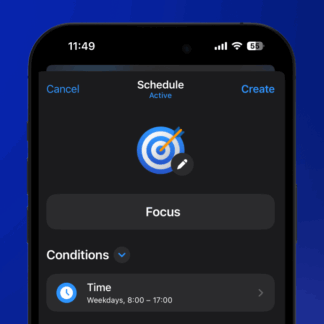
Want to block certain apps during specific days or times? Follow these steps to set up a Time Schedule:

Steps to create a Time Schedule:

  1. Go to the Blocking tab.
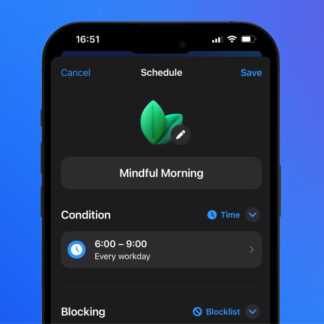
  2. In the Schedules section, tap + Add  or select a template to create a new schedule.
  3. Choose between Blocklist or Allowlist (for premium users) and add apps/websites/keywords you want to block or allow.
  4. Select Time as your blocking condition, choose the days you want the block to be active.
    Days marked in blue will have the block applied.

Optional: By default, blocks are active all day on blue-marked days. To customize blocking times:

  • Tap Add (+) to set specific time intervals.
  • Select the FROM time.
  • Tap TO, choose the until time, and press OK.
  1. Save changes, review all your settings and give your schedule a name.
  2. Tap Create to finalize.

Note: Schedules activate automatically upon creation. Unlike Quick Block, there’s no need to enable them manually.

Simply
motivating

Our users truly appreciate the benefits that AppBlock brings them. Start your journey and empower your life.

Worldwide ratings 115K+
Helping 10 000 000 + success stories
Average rating 4.86

“I think we have a habit of opening phone and tap on Instagram because you’re waiting for the elevator or you’re waiting for coffee and it’s natural thing to do. So AppBlock is help me a lot.”

Marianna Hewitt Marianna Hewitt on 9 to 5 with theSkimm podcast

AppBlock has quite literally changed my life! I have: Regained my focus, Built a workout routine, Read 13 books in 3 months, Reached new career milestones, Ditched the dopamine 1st routine. All thanks to the gift of this app, and its iron-clad Strict Mode.

Shavy Jaine direct message on LinkedIn

Really helps me study and stay active I love this app Whoever is seeing my message install the app now its very useful for me to stay active Bye 😁

Jokha Al Zakwani 5 star review on Google Play

Really amazing app to help eliminate distractions for people living w/ADHD, as we’re especially vulnerable to technology addiction & the dopamine-inducing tactics of Big Tech

J.J. 5 star review on AppStore
Featured in
TC
USA
Forbes
MUO
PH

Join 10M+ users who took control

Download AppBlock for iOS today!

Worldwide ratings 115K+
Helping 10 MILLION SUCCESS STORIES
Average rating 4.86
We use cookies!
We use cookies for the best website functionality, which we process according to our privacy policy. More information about cookies can be found here.