• Productivity • Study • Well-being •9 min read

• Productivity • Study • Well-being •9 min read
The best screen time app is the one that removes decision fatigue and can’t be easily bypassed. Look for Strict Mode–style enforcement, scheduling, and location-based rules. AppBlock combines these features to keep focus sessions consistent when willpower isn’t enough.
We’ve all been there. You pick up your phone to check a single work email, and forty-five minutes later, you’re deep-diving into a thread about 18th-century maritime history or scrolling through reels of people cleaning their carpets.
It’s not just a willpower problem; it’s actually science. Researchers call it attention residue. Every time you switch from a task to your phone, your brain carries over a piece of that distraction. In fact, studies show it can take up to 23 minutes to fully regain your focus after just one interruption.
If you’re ready to reclaim your life from the algorithm, you need more than a digital detox weekend. You need a reliable app to restrict screen time. Here is a breakdown of the best tools to help you reach no screentime during your most important hours.
If you want the best screen time control app that actually sticks, AppBlock is in a league of its own. While most apps offer gentle reminders, AppBlock provides actual screen time restrictions that you can’t just swipe away when the urge to scroll hits.
Available for iOS and Android.
Why it’s AppBlock #1: It features a Strict Mode. One of the biggest complaints on Reddit is that users just delete their blocking apps when they get desperate. AppBlock’s Strict Mode prevents you from changing settings or even uninstalling the app during a session.
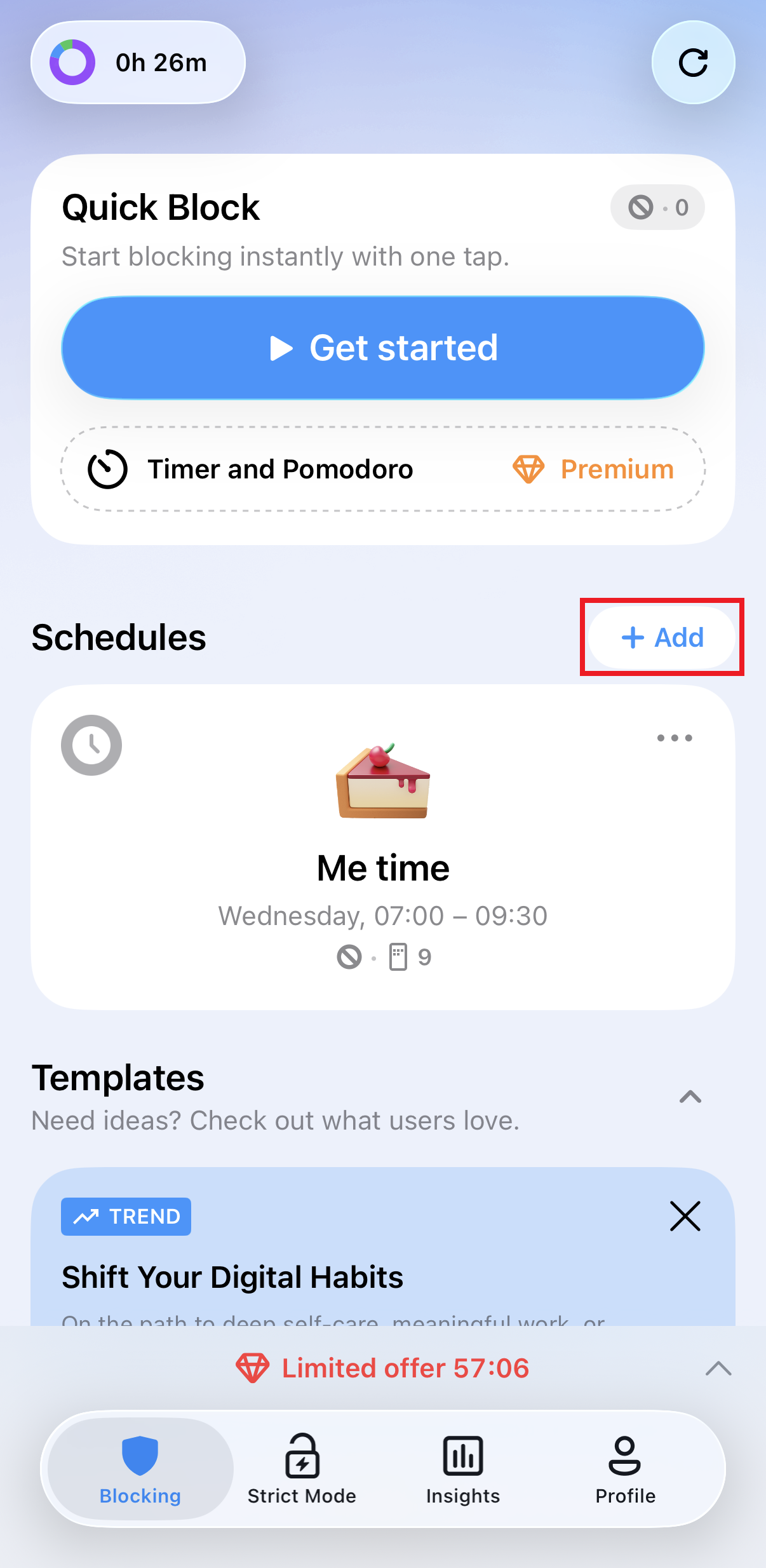
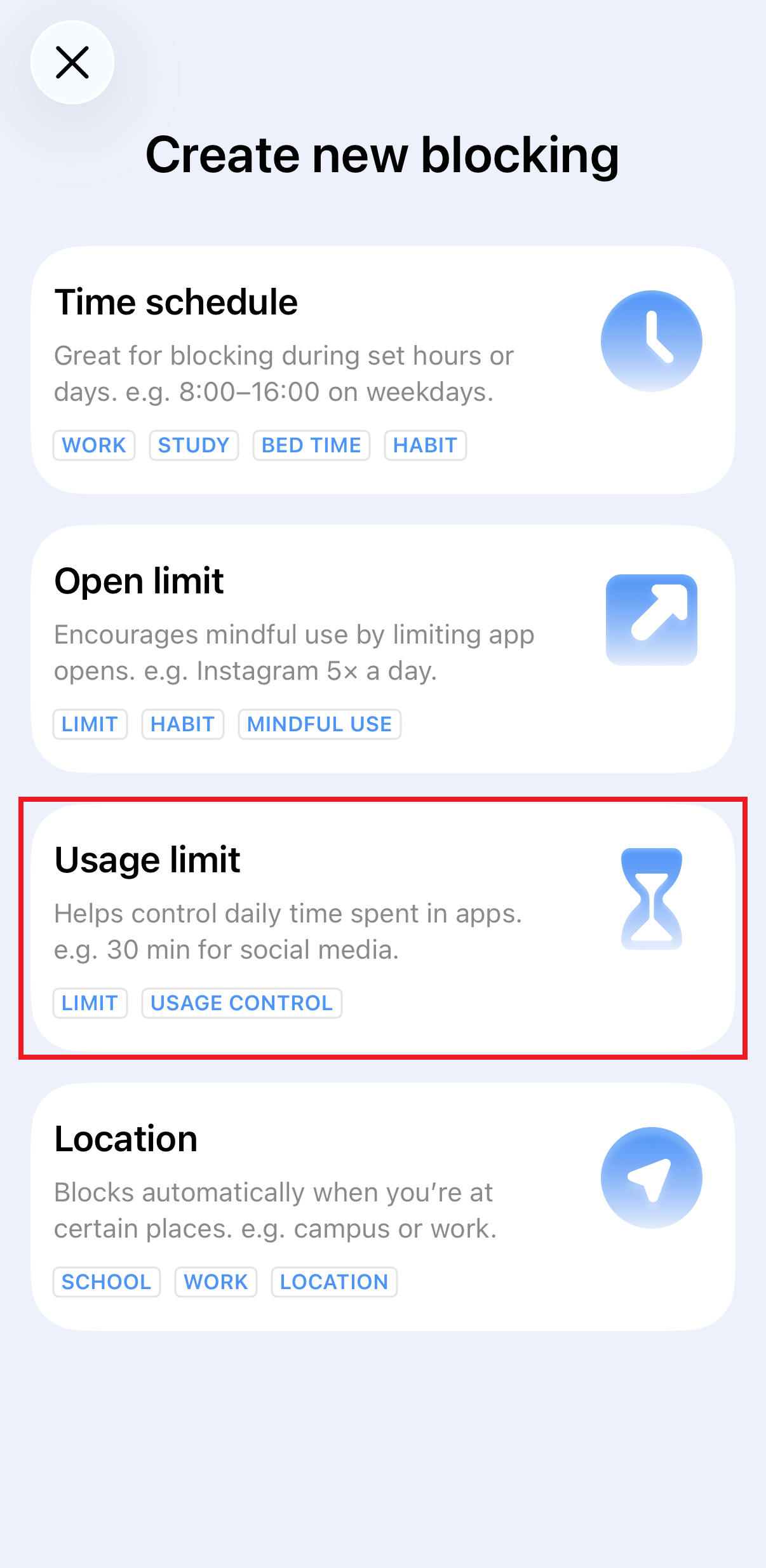
Create schedules like Mindful Morning, Study Time, or Digital Detox and let AppBlock handle distractions for you. For example, a Mindful Morning schedule can prevent access to Instagram or TikTok until 10:00 a.m., while Study Time blocks entertainment and shopping apps so you can focus.
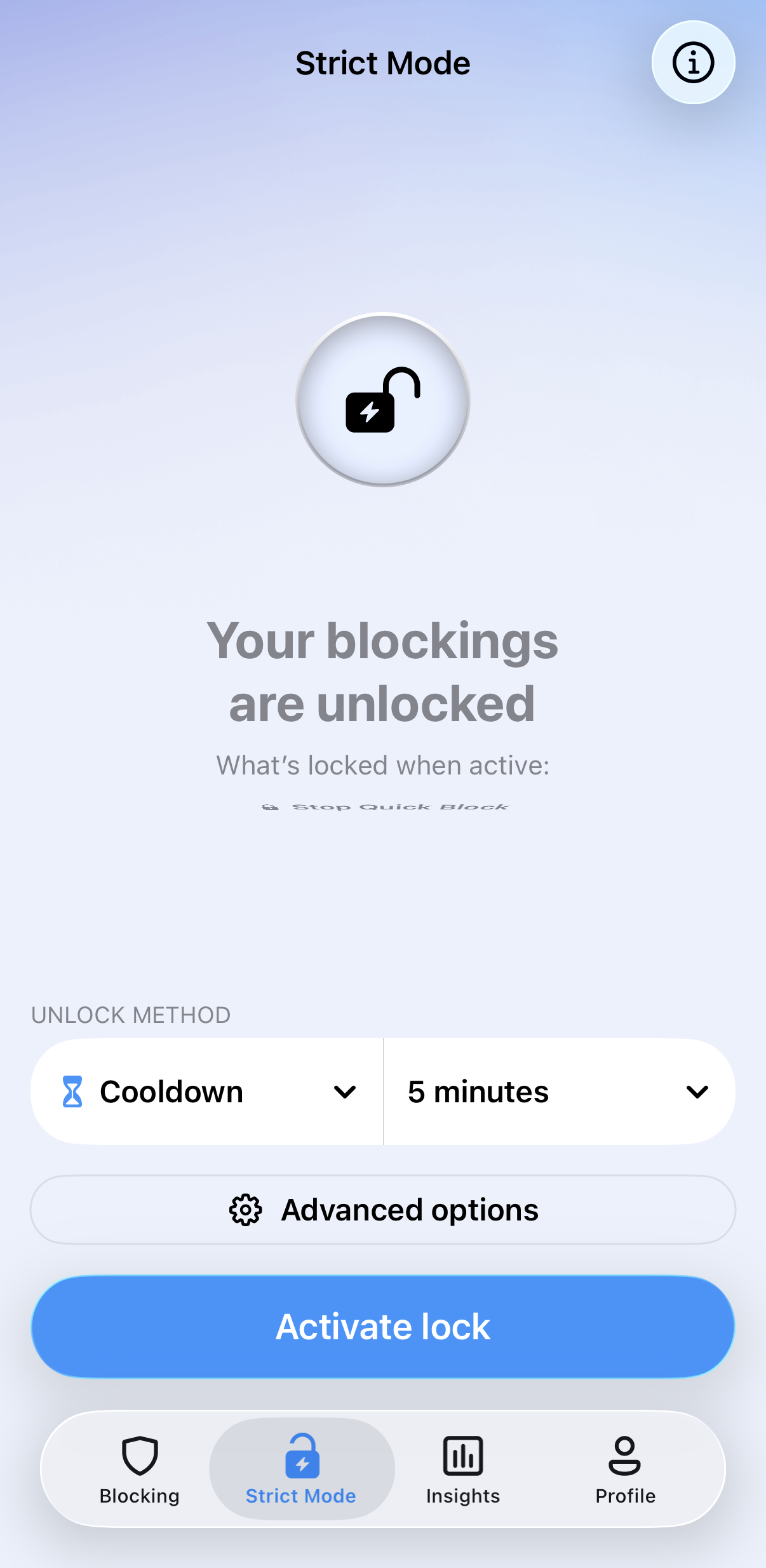
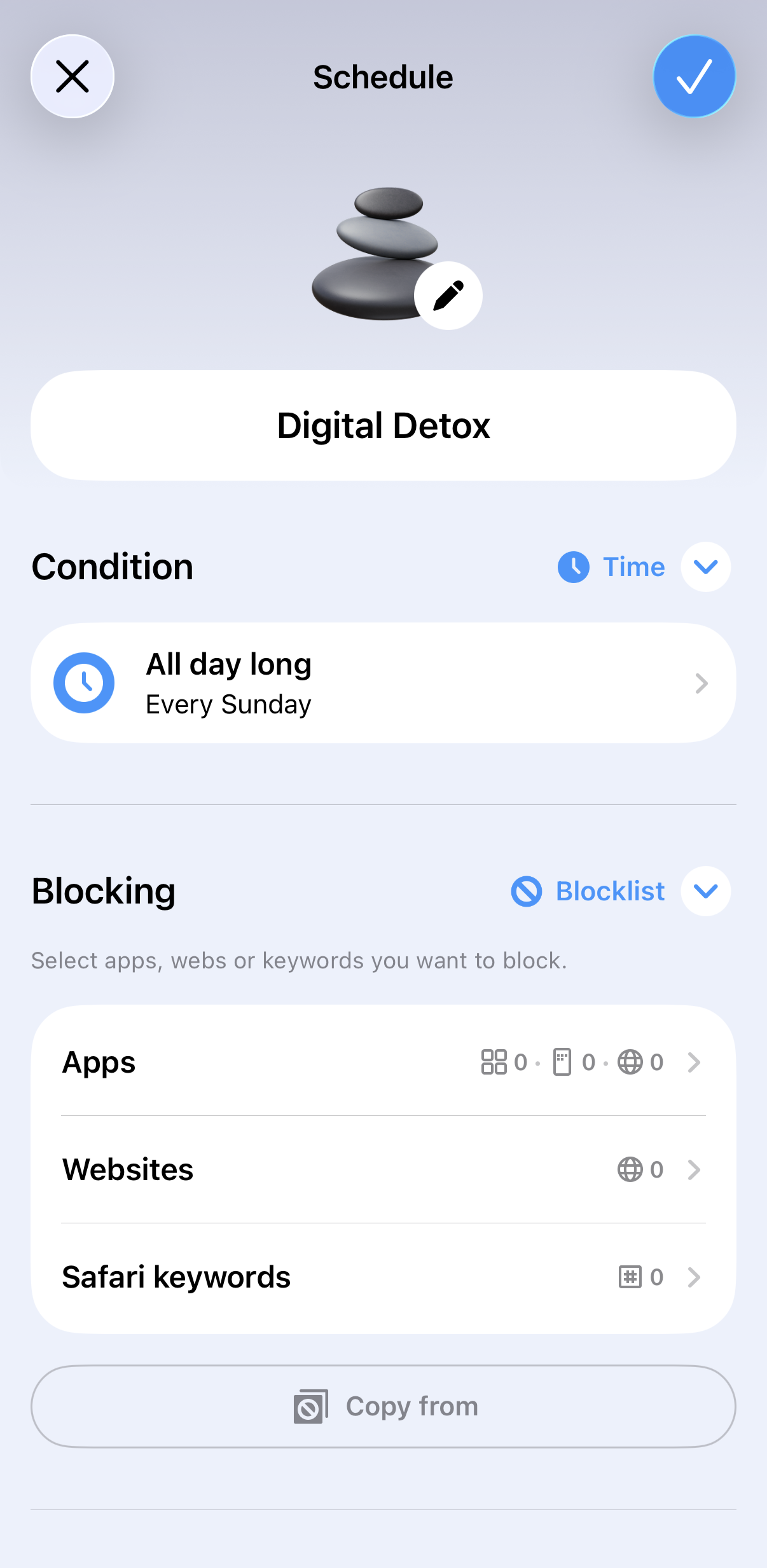
You can set a limit (e.g., 20 minutes of Instagram) and once you hit it, AppBlock shuts it down automatically.
In a survey of 779 users, 76% reported major productivity boosts after using AppBlock’s schedules and strict modes. Appblock is best for professionals, students, and anyone who has tried (and failed) to use basic limit settings before.
Managing your digital habits is a lot like managing your diet. You wouldn’t eat junk food for eight hours a day and expect to feel energized. Using AppBlock is like putting a lock on the digital pantry so you can finally stop mindless snacking on dopamine and start focusing on the things that actually nourish your life.
If your distractions jump from your phone to your laptop and back, Freedom is a solid contender. Its strength lies in its ability to block sites and apps across all your devices simultaneously.
The Catch: Some users find it easier to circumvent on mobile by simply deleting the app, unlike AppBlock’s more robust anti-uninstallation features.
For those who want a softer approach to phone screentime, Forest turns focus into a game. You plant a virtual tree that grows while you work. If you leave the app to check social media, your tree withers and dies.
Best For: Students or Pomodoro fans who need a visual incentive rather than a hard wall.
Opal is built on top of the iOS Screen Time API and focuses heavily on data. It gives you a Focus Score to rate how different apps affect your day.
Best For: Data nerds who want to see exactly how much their habits are improving over time.
These are the free, built-in options on your device.
While they are great for basic monitoring, they are notoriously easy to bypass. Most people find themselves hitting Ignore Limit or Remind me in 15 minutes until the restriction becomes meaningless.
Finding the right apps that control screen time is about more than just getting more work don, it is a significant health necessity. Excessive screen use is positively associated with symptoms of depression and anxiety, particularly in adolescents.
One of the most critical factors is sleep. Research has proven that exposure to blue light from screens suppresses melatonin, the hormone responsible for sleep. The good news is that these effects are reversible. A study found that by limiting screen use in the evening for just one week, teenagers were able to fall asleep 20 minutes earlier and significantly reduce their symptoms of fatigue and bad mood.
For families, experts recommend following the 3-6-9-12 rule to ensure healthy development: no screens before age 3, no personal devices before 6, no internet access before 9, and no unsupervised internet use before age 12. By setting these boundaries early and using tools like AppBlock to enforce them, you can protect both your mental well-being and your long-term physical health, reducing risks like eye strain and obesity.
While there is no single magic number that fits everyone, medical experts and organizations like the American Academy of Pediatrics have established a clear baseline for long-term health. For both adolescents and adults, the consensus is that recreational or non-work screen time should ideally be limited to less than two hours per day.
In an era where Gen Z averages nine hours of daily use and adults in the United States average over seven, reaching this two-hour threshold requires significant intentionality. The goal is to cultivate a balanced digital diet where technology serves a specific purpose rather than crowding out restorative sleep, physical movement, or face-to-face social interaction.
Yes. This is exactly why AppBlock’s Strict Mode exists. It’s the option that prevents you from uninstalling the app or disabling your blocks until your timer is up.
The best app for screen time restricting is AppBlock, especially if you need a high-accountability tool with a Strict Mode that prevents uninstallation. Other top contenders include Freedom for cross-platform blocking across all devices, Opal for deep focus analytics on iOS, and Forest for those who prefer a gamified, visual approach to productivity.
This is a common request. Generally, because of technical visibility limits on mobile operating systems, most apps that control screen time cannot see what you are doing inside an app once it is opened. To ensure your focus stays protected, AppBlock typically blocks the app as a whole by applying a full blocking screen.
Yes, AppBlock also offers a free version that allows you to start setting screen time restrictions immediately. For advanced accountability, the Premium version unlocks the full power of Strict Mode.
Gain back control over your screen, empower your life with AppBlock.
Try for free
How many people use social media? What is the most active age group on social media? And what platforms are used the most in 2024?…
In today’s fast-paced world, finding ways to increase productivity and improve focus is essential. With the rapid advancement of technology, artificial intelligence (AI) has…

We're living in online times. And now with the covid pandemic more than ever. We're addicted to social media. We work a lot. We're playing g...





